Download TraxxTool Community Edition · free
The full free toolkit, with no account needed to build. Everything is bundled: the audio engine, ffmpeg, and native processing. Windows, macOS and Linux. Works with Stage Traxx 4.0 and 4.1.
On a phone or tablet?
TraxxTool is a desktop app for Windows, Mac and Linux. Email yourself the link and open it on your computer.
ShowVizz, the stage player, runs on iPad, iPhone and Android. Get ShowVizz
Windows
Windows 10 / 11 · 64-bit
SmartScreen may warn on new downloads. Click More info, then Run anyway, and verify the SHA-256 below if you like.
macOS
Apple Silicon: macOS 13+ · Intel: macOS 12+
Not sure? Apple menu, About This Mac: "Chip" means Apple Silicon, "Processor" means Intel.
Open the .dmg, drag TraxxTool to Applications, then right-click and Open the first time (the app is not notarized with Apple, so macOS asks once). Everything is bundled, with no extra installs.
Linux beta
x86-64 · recent glibc · untested beta
Extract and run ./TraxxTool. ffmpeg is bundled (static build). An X11 or Wayland desktop is required.
Verify your download (SHA-256)
Windows installer: 149b319117d1fef22e5708f5c76e150101379e0328d0378a3e3f84d982adb0d6
Windows portable: e5be6ecb8ac9e99716eaf4f67575afd0a70399745dc17f3d2a41d98088743ee2
macOS (Apple Silicon) dmg: 644b97b30390859b8c33257ee21708217825209a875496fa342961d2f9469bf6
macOS (Intel) dmg: 3c756a36b1ad601888af84b14be4ef7b77092b4d988cb21c72f5fed9caf7ab42
Linux tar.gz: d27d835a9cfd6b8269f7a75e40bfebfc43be46d35193ce4628ca88b822e2a963
The Linux build is a beta and has not had the testing the Windows and macOS builds have. Found an issue? Tell us.
Prefer to read first? The User manual (PDF) is also installed with the app.
Curious what changed in v2.46.6? Read the changelog. Already running TraxxTool? It can update itself: Settings, then General, then Updates.
Need a specific earlier build? Every version we have published is kept on the older releases page.
Five rooms, one flow
Get the stems in, get them stage-ready, wire up your gear, and get it onto the iPad.
Downloader
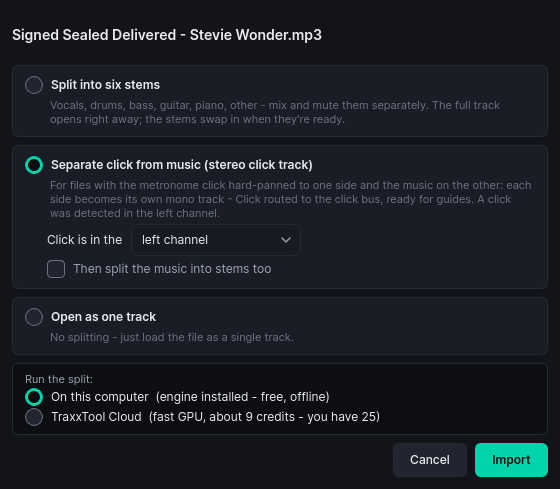
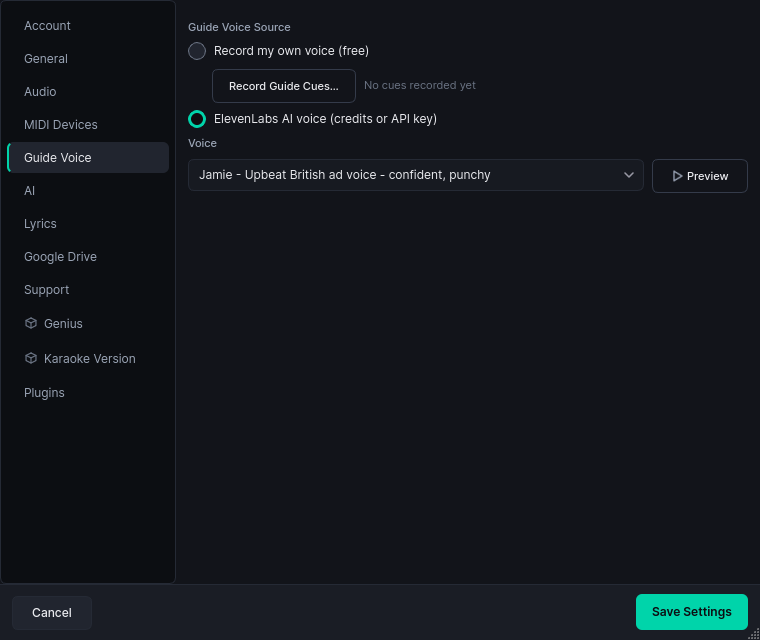
Pull multitrack stems straight into your library from direct links or Google Drive, split full mixes into stems, and let the track naming sort itself out while downloads land. Community plugins can add more sources, including popular backing-track providers.
Library
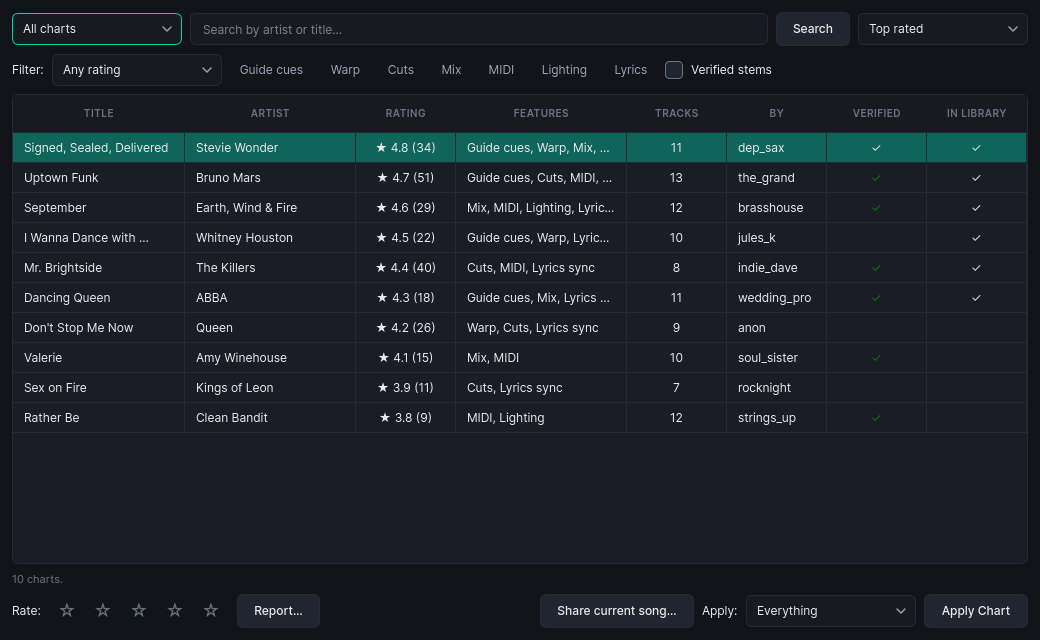
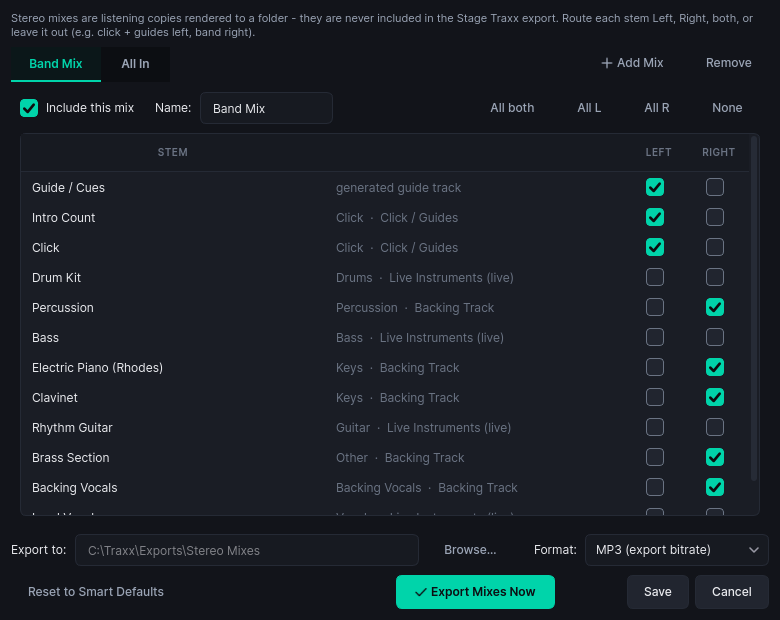
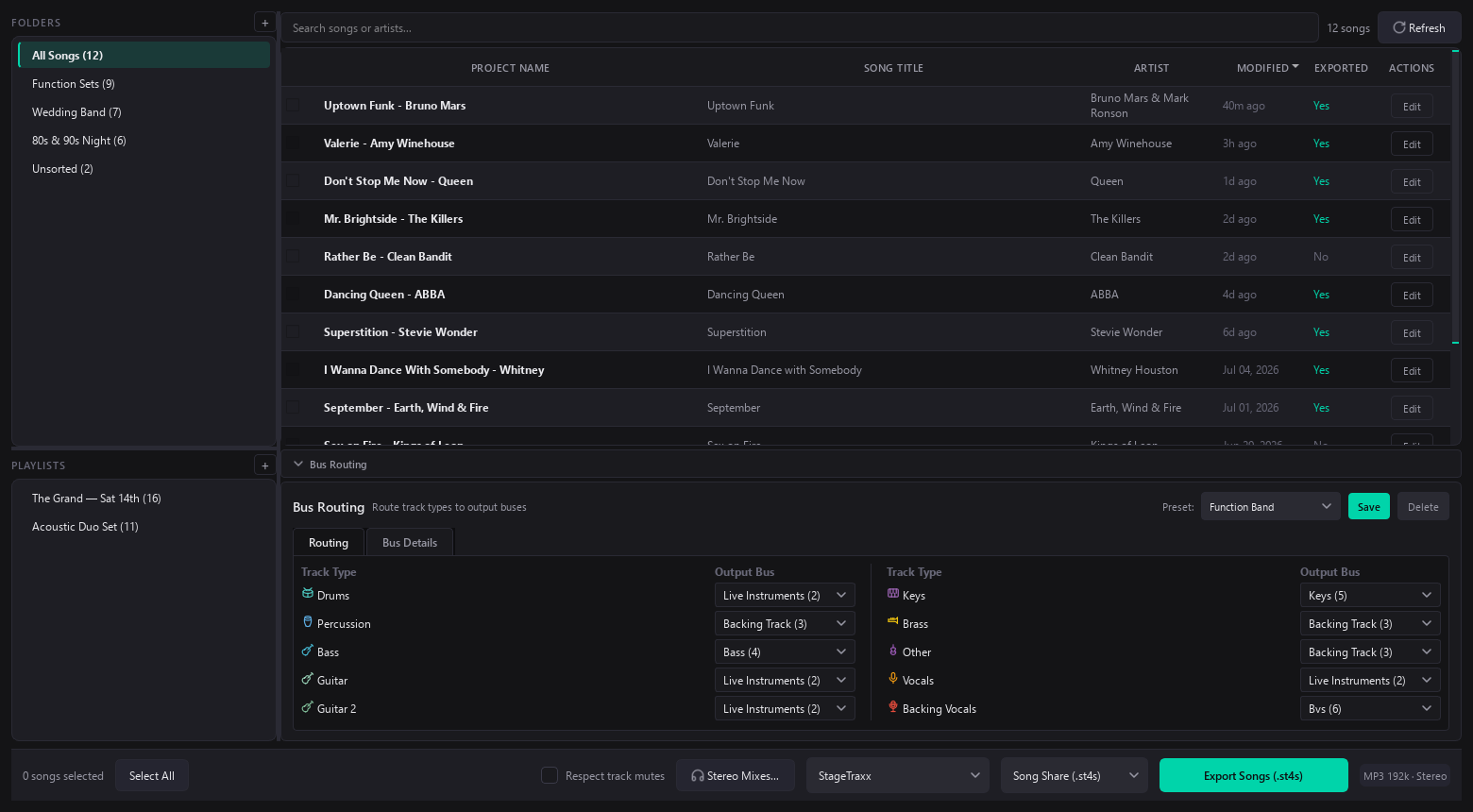
Every song project in one place: search, folders, playlists, batch selection, stereo rehearsal mixes, and one-click export of whole setlists to Song Share, Stage Traxx 3, or, with Pro, Full Backup and Merge.
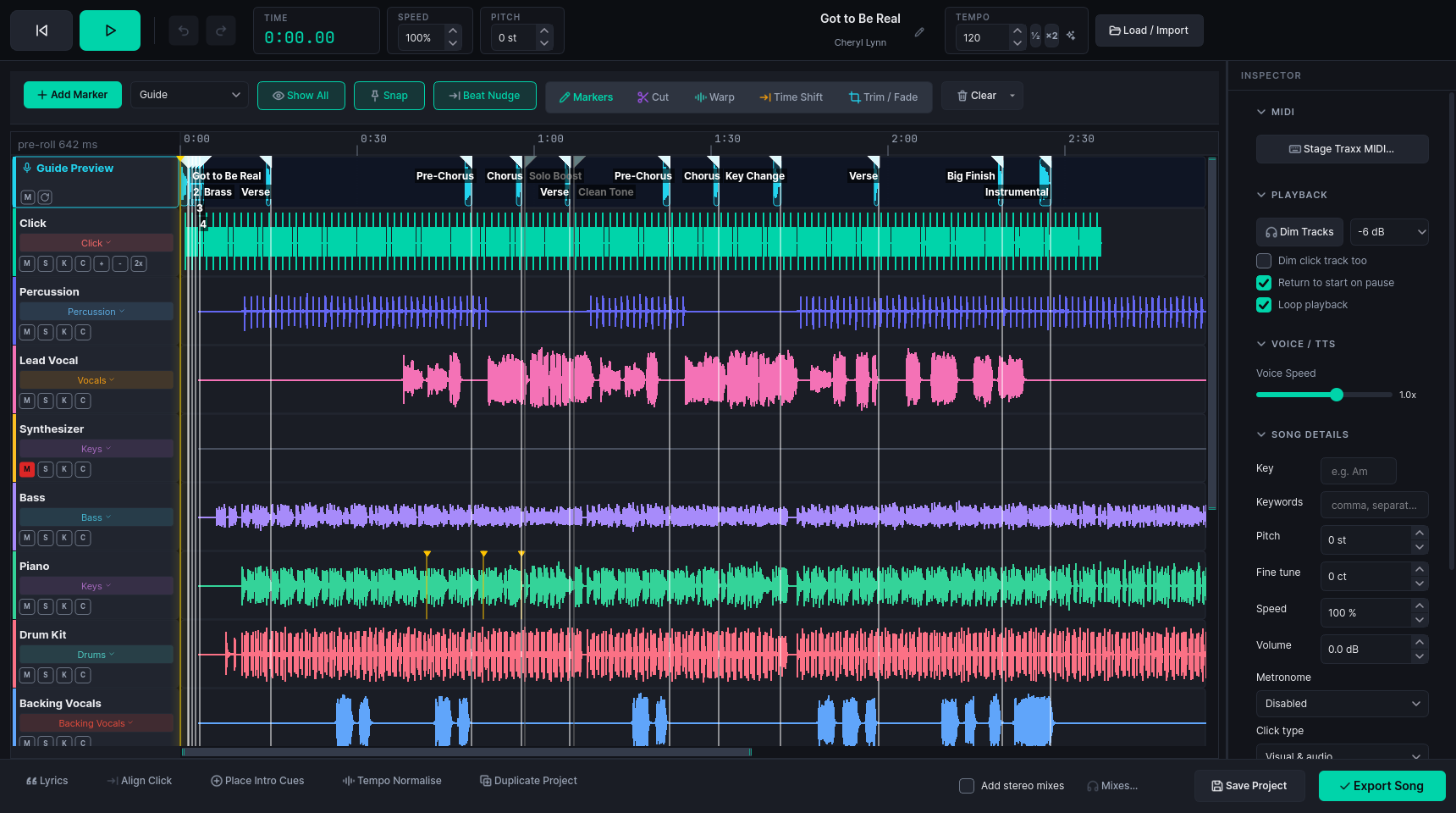
Workbench
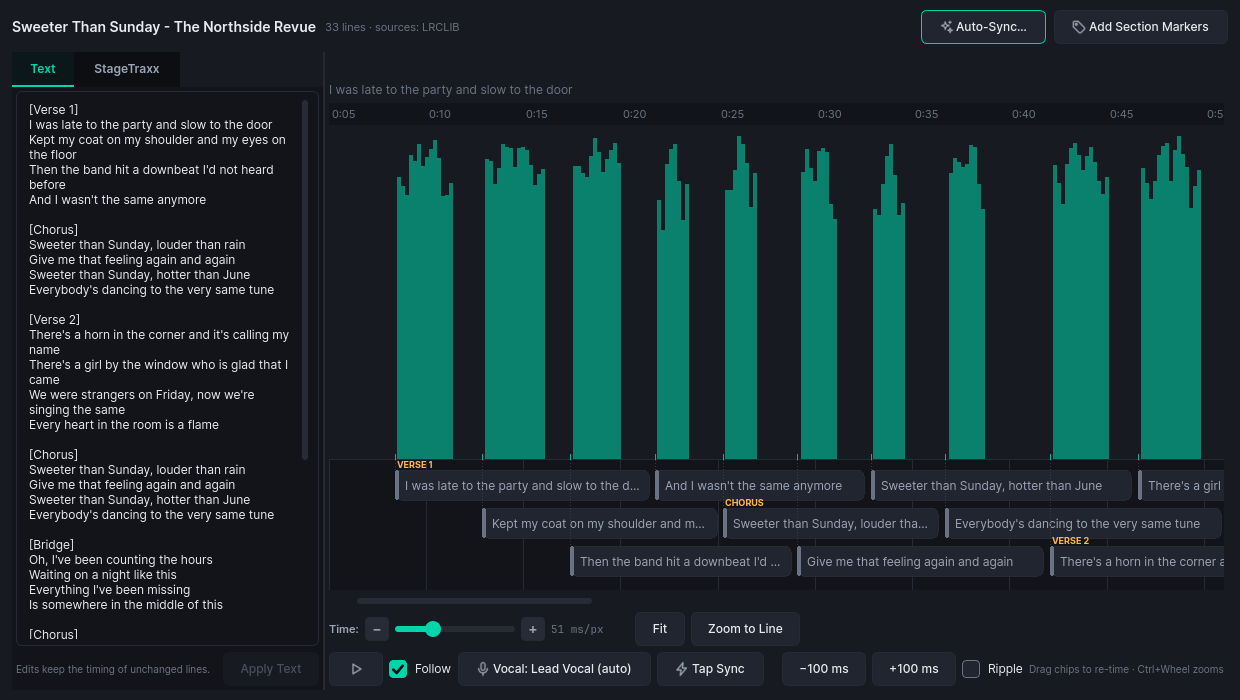
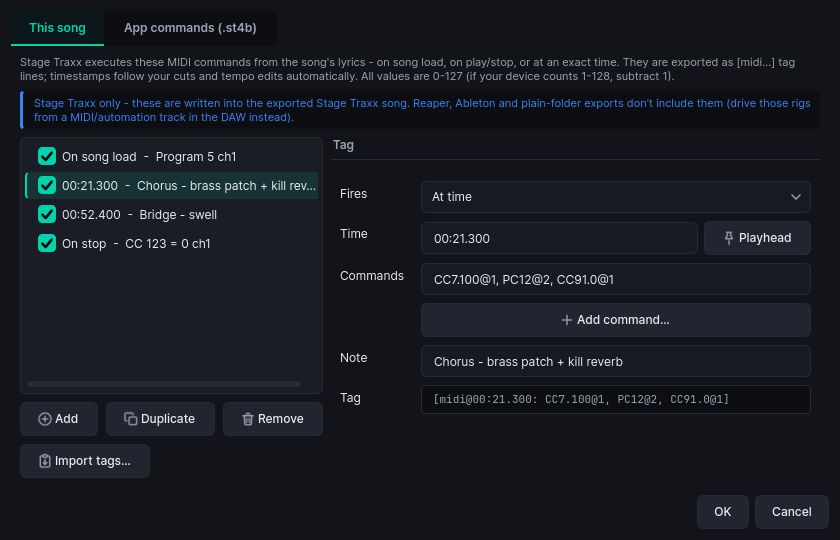
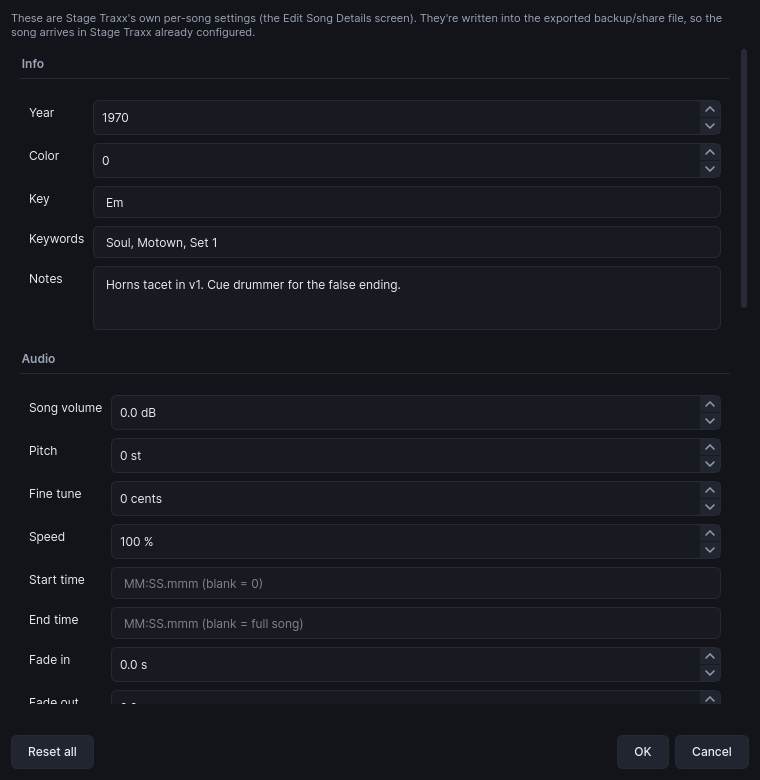
The DAW-style room below: markers, cuts, warp, time-shift, trims and fades, lyric sync, guide voices and MIDI cues. Then export straight to Stage Traxx.
Rig
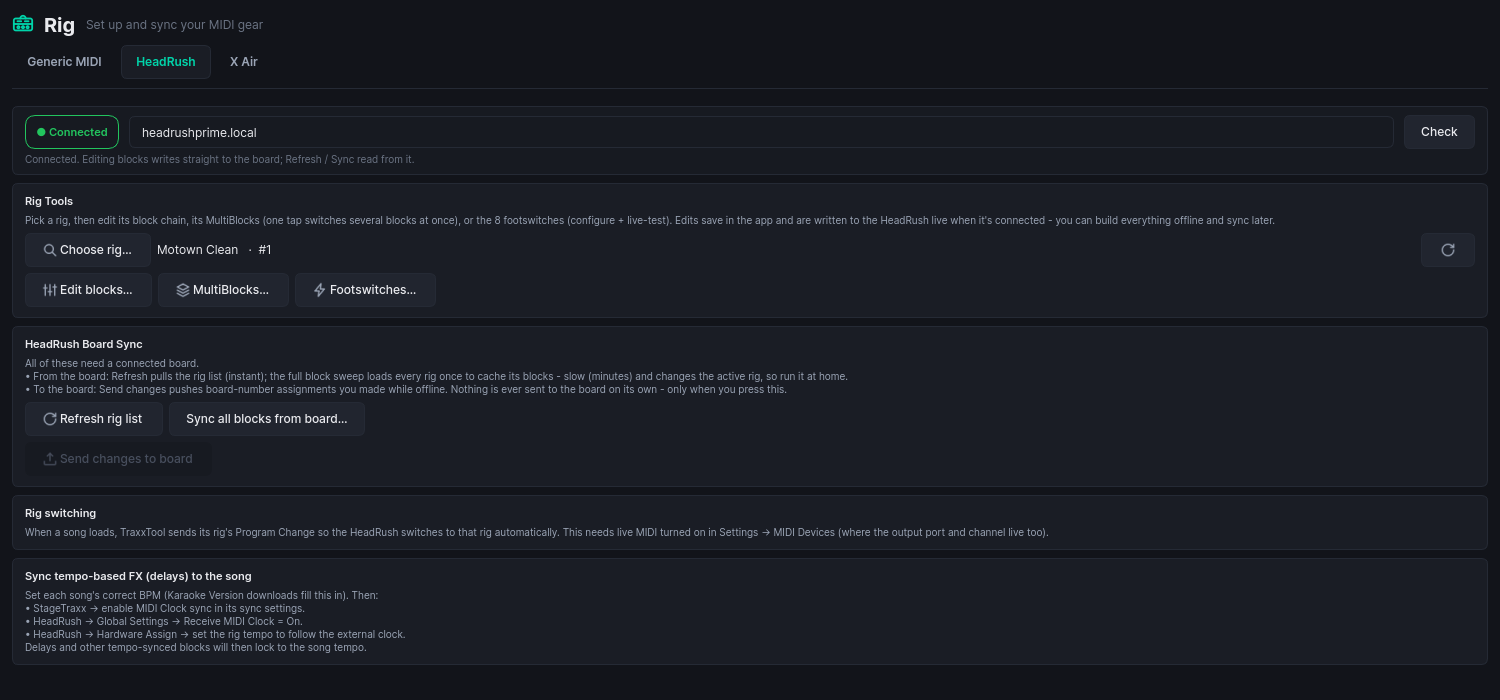
Your MIDI gear in one place: pick each song's HeadRush or Kemper rig, name your X Air faders, fire QLab cues, and set up anything else that answers to MIDI. Build it all offline, then sync to the hardware when it is on the network. Twenty-three integrations, all free. On the night, lights and video play through ShowVizz, the free stage player.
Medley Studio
Pick songs from your library and get one project back: an order, a tempo for every join, a key plan that stays singable, and a crossfade on every track. Play it and edit it while it plays. Building one is free at any length.

ShowVizz, the free stage player
If you build a light and video show in TraxxTool, ShowVizz is what plays it at the gig. It takes MIDI from your Stage Traxx 4 iPad, follows the song you started, and drives your DMX rig and the screen behind you.
Windows
Windows 10 / 11 · 64-bit
macOS
Apple Silicon or Intel
Not sure? Apple menu, About This Mac: "Chip" means Apple Silicon, "Processor" means Intel.
Linux
x86-64
iPad and iPhone
From the App Store

Android
Phones and tablets
The APK is for installing without Google Play.
Verify your download (SHA-256)
Windows: 11f0840593ded4beb2381db93e7321119db33758f583b2d27a95e50b0349d001
Windows .zip: fe86cec4b0877be9228171aec3ae88d8096bf2625dfe57347aefe3f7a28b52ba
macOS Apple Silicon: 6570db4da9671f1ffc1965917a3467cd1cad582caa79384ed95de482be01f767
macOS Apple Silicon .zip: 643830744fa60040104630548fb2ba108c13e961d66c7a6d4ebae66b249d1948
macOS Intel: 5a3a79d31af8e3523c4fdb31bbd070a048d88f23dd7d6465daab5f9c670b2d0b
macOS Intel .zip: c8ec5193047cfc5d5bc37e3e64fb447f9486d7221a7d87039eceaa2485180e96
Linux: 67a90be4e4874161f6287fad0d6324f75f26c3da7526b019f79fbb6f0c17736b
Android APK: af7ad028e7314ce9f78c91454cf6352ddfcd6d0e22e8d3550e2675fc206c569e
iOS relink kit: ea9df5f564ba100a455eec3cdd2f03a4235059d165b578ffe21346265afca6ea
iOS relink kit (LGPL), 6 MB · Licences
What's new in 1.4.0
Added
- Stage Apps: interactive pages on the wall. This is a beta, on Windows only, and it comes with a warning. A show built in TraxxTool can now carry a Stage App: a showdown card, a running score, a now playing screen, an audience vote with a QR on the wall. Pages change from the song's own cues, at the end of a song, between songs, or by hand. It is the newest thing in ShowVizz and it has not played a real gig yet, so the App panel and the Remote screen say so. Rehearse a show with one before you run it for an audience.
- Which players draw a page, said plainly. Only the Windows desktop player draws Stage App pages. The macOS and Linux players run a show that carries one exactly as they run any other show, and say the web engine is not available on this machine. The iPad and Android players do not draw pages at all yet: the show runs, the lights and the video are untouched, and the page simply is not there. A show with a Stage App is safe to open on every platform; it is only Windows that puts the page on the wall.
- The page is an optional download. The web engine that draws it is a separate 150 MB pack for Windows, not part of the installer. A show without a Stage App never needs it, and a player without it runs a show that has one exactly as it runs any other: one line in the log, the lights and the video untouched.
- Drive it from a phone, with no internet. The player serves its own remote over the local network whenever a show with a Stage App is loaded. Pair a phone by pointing its camera at the QR on the Tonight screen, or type a six digit PIN. Devices are named and can be revoked, and there is a read-only view for the band. The remote now draws the app's own buttons: the pages by their titles, the app's own controls, and the vote the app declares.
- Audience voting from the cloud is new and has never been used at a venue. The QR on the wall, the vote page and the running tally work between the player and the server in testing, and no gig has ever run one. Treat the first night you use it as a rehearsal, and have the show work without it.
- Drive it from a MIDI controller. Notes, CCs and program changes on a control channel of their own, which the band's own pedalboard can never reach. Learn them on the Tonight screen.
- Back to splash always works. It fades the page's layer on the wall rather than asking the page to do anything, so it works with the engine dead, the network gone and the server on the floor.
Fixed
- The Lights tile says when the computer is not letting the light out. It used to read Going out while macOS or a firewall was blocking Art-Net. On a Mac it names the switch to turn on: System Settings > Privacy & Security > Local Network.
- When a Mac asks whether ShowVizz may use the local network, it now says what for.
Already running TraxxTool?
It can hand you the player instead. TraxxTool knows which show format it writes, checks that against the published player, and gives you the build that opens your shows, so there is no wrong one to pick.
Optional community add-ons
Free plugins that extend TraxxTool. They are separate from the product, and you install them at your own discretion.
Before you install one
Plugins are not part of the TraxxTool product and are not covered by its license. Nothing you buy from us (Pro, Cloud or credits) includes or depends on them. They are community-made, free, unsupported, and used entirely at your own risk, and each shows its own notice before it installs. See Terms §6.
Pull stems from your backing-track provider
A community plugin can add popular backing-track providers as a source in the Downloader, so the individual stems of tracks you already own drop straight into a ready-to-edit project. TraxxTool does not sell or license this. You use your own provider account, at your own risk.
The full list of add-ons, including this one and Genius lyrics, lives on the Plugins page. You manage them in the app under Settings, then Plugins.
Getting started
- Install and open. No extra dependencies on any platform. The audio engine and ffmpeg are bundled.
- Import stems. Drop a folder of stems or use the Downloader, and let AI auto-categorize the tracks.
- Polish. Sync lyrics, place vocal guides and count-ins, cut the arrangement, add MIDI cues.
- Export. Song Share (
.st4s) is free forever. Pro unlocks Full Backup and merging into an existing library. Still on Stage Traxx 3? The same export writes.st3backups for it.
The AI tools (guide voices, lyric transcription, track cleanup) are optional. Sign in with Google to run them on credits, with 25 free to start and the price shown before every job, or bring your own ElevenLabs and LLM keys in Settings and pay us nothing. Everything else works without an account. See pricing.